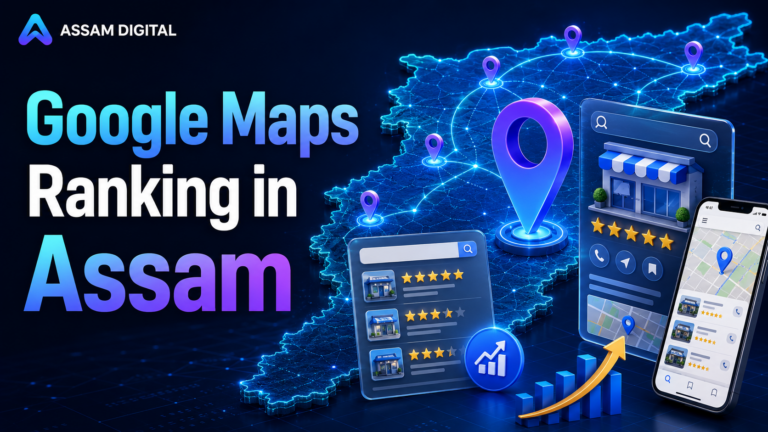
Google My Business: Your Online Business Hub for Success
In today’s digital landscape, having a strong online presence is paramount for businesses of all sizes. Google My Business (GMB) stands as a crucial platform for establishing and enhancing your online visibility, attracting potential customers, and driving tangible results. This comprehensive guide will delve into the intricacies of Google My Business, equipping you with the knowledge and strategies to harness its full potential for your business growth.
What is Google My Business?
Google My Business is a free and powerful tool provided by Google, designed to help businesses manage their online presence across Google Search and Maps. It acts as a central hub for showcasing your business information, connecting with potential customers, and building credibility in the digital realm.
Think of it as your digital storefront, where you can showcase your products or services, share updates, interact with customers, and ultimately, drive more foot traffic to your brick-and-mortar location or online store. By optimizing your GMB profile, you can climb the ranks of local search results, making it easier for customers to find you and choose your business over competitors.
Key Benefits of Using Google My Business
Harnessing the power of Google My Business can yield significant benefits for your business, including:
- Enhanced Online Visibility: By claiming and optimizing your GMB profile, you become more visible in Google Search and Maps results, putting your business in front of potential customers searching for your products or services in your area.
- Increased Local Search Rankings: GMB plays a pivotal role in determining your ranking in local search results. Completing your profile accurately and engaging with customers boosts your chances of appearing at the top of searches.
- Enhanced Customer Engagement: GMB allows you to interact with potential customers directly through features like Q&A, reviews, posts, and messaging, fostering a connection and building trust.
- Valuable Insights and Analytics: GMB provides valuable insights into customer behavior, website traffic, and engagement metrics, allowing you to refine your strategies and optimize your business for success.
- Improved Brand Awareness: A well-maintained GMB profile helps establish your brand identity, builds trust among potential customers, and fosters a sense of credibility.
- Drive Website Traffic and Conversions: By including a link to your website on your GMB profile, you can direct users to your online store or landing pages, ultimately driving conversions and sales.
- Manage Customer Reviews: GMB empowers you to manage your customer reviews, respond to queries, and address concerns, fostering positive customer experiences and building a strong online reputation.
Setting Up Your Google My Business Profile: A Step-by-Step Guide
Creating a successful Google My Business profile requires a systematic approach. Follow these steps to establish a foundation for online success:
1. Create a Google My Business Account
The first step is to create a Google My Business account. You can do this by visiting the Google My Business website and clicking “Start Now”. You will need to provide basic information, such as your business name, address, and phone number.
2. Verify Your Business
Google requires verification to ensure the legitimacy of your business listing. They will send a postcard with a unique verification code to your business address. Once you receive the postcard, enter the code online to verify your listing.
3. Complete Your Business Profile
Once your business is verified, you can begin filling out your profile completely. Provide accurate and detailed information, including:
- Business Name: Use your official business name as it appears on your signage and website.
- Business Category: Select the most relevant category for your business from Google’s extensive list.
- Address: Enter your business’s physical address. If you operate from multiple locations, you can add them as separate listings.
- Phone Number: Include your business phone number, ensuring it is easily reachable and monitored.
- Website: Link to your business website to direct customers to learn more about your offerings.
- Business Hours: Specify your business hours clearly, including any exceptions or special opening times.
- Attributes: Select relevant attributes that apply to your business, such as “Wi-Fi”, “Parking”, “Wheelchair accessible”, etc.
- Short Description: Write a brief but compelling description of your business, highlighting your unique selling propositions.
- Products/Services: List your products or services, providing concise descriptions for each item.
- Gallery: Upload high-quality photos of your products, services, and business environment to showcase your offerings and create a visually appealing profile.
4. Engage with Customers
Google My Business offers various tools to engage with customers. Here are some effective ways to build a strong relationship:
- Respond to Reviews: Respond promptly to reviews, both positive and negative, showing that you value customer feedback and are committed to providing excellent service.
- Answer Questions: Engage with potential customers by answering questions they may have about your business.
- Post Regular Updates: Share relevant posts about your business, events, promotions, or new product launches to keep customers informed and engaged.
- Use Google My Business Messaging: Enable messaging to allow customers to contact you directly through your GMB profile.
Optimizing Your Google My Business Profile for Success
While creating a basic GMB profile is a good start, optimizing it for maximum impact is key. Here are some essential optimization strategies:
1. Keyword Research:
Just like with SEO for your website, keyword research plays a vital role in GMB optimization. Understand the search terms customers use to find businesses like yours. Tools like Google Keyword Planner, SEMrush, and Ahrefs can help you uncover relevant keywords.
2. Use Relevant Keywords in Your Profile:
Incorporate the keywords you identified into your business name, category, description, products/services, and posts. Be strategic and avoid keyword stuffing, as this can harm your ranking.
3. Optimize Your Business Name:
Use your primary keywords in your business name. For example, if you’re a “Local Bakery,” consider using “Best Local Bakery” or “Bakery in [City Name]” in your business name on GMB.
4. Create High-Quality Photos and Videos:
Visuals are essential for capturing attention online. Upload high-resolution photos and videos showcasing your products, services, staff, and business environment. Videos, in particular, can help you stand out and engage viewers.
5. Encourage Reviews and Respond to Them:
Positive reviews are a powerful signal to Google that your business is reputable and trustworthy. Encourage customers to leave reviews by placing review requests at your business or through your website.
Respond to all reviews, both positive and negative, in a professional and courteous manner. Positive reviews can boost your ranking, while negative reviews can damage your reputation if left unaddressed.
6. Utilize Google My Business Posts:
Regularly create posts on your GMB profile to announce promotions, events, new products or services, or share industry-related content. Posts help keep your business top of mind and can increase engagement.
7. Track Your Results:
Google My Business provides valuable insights and analytics, allowing you to track your performance. Monitor your website traffic, customer engagement metrics, and search ranking data to understand what’s working and where you need to make adjustments.
FAQs about Google My Business
Here are some frequently asked questions about Google My Business:
Q: How long does it take for a GMB profile to be verified?
Verification can take anywhere from a few days to a couple of weeks, depending on your location and the efficiency of the postal service.
Q: Can I have multiple Google My Business listings for the same business?
Generally, you should only have one Google My Business listing per business. However, you can create separate listings for different locations, if you have multiple branches.
Q: Can I change my business name on Google My Business?
You can change your business name, but it may require a verification process.
Q: What is the difference between a GMB listing and a website?
A GMB listing provides essential business information, such as your address, phone number, and hours of operation. It is designed for local search visibility. Your website offers more detailed information about your business, products, and services.
Q: How can I get more reviews on Google My Business?
Encourage customer reviews by placing review requests at your business, sending out email reminders, or offering incentives for reviews.
Q: How often should I post on Google My Business?
Aim for posting at least once a week or more frequently if you have news or events to share.
Q: What if I have a negative review on Google My Business?
Respond to negative reviews calmly and professionally. Acknowledge the customer’s concerns and offer a resolution if possible.
Q: Is Google My Business free to use?
Yes, Google My Business is completely free to use.
Conclusion: Unlocking Your Business’s Potential with Google My Business
Google My Business is an essential tool for any business seeking to enhance its online visibility, attract more customers, and drive success in the digital age. By following the steps outlined in this guide, you can create a strong foundation for your GMB profile, optimize it for maximum impact, and unlock your business’s full potential.
Remember, Google My Business is an ongoing effort. Continuously engage with your customers, update your profile regularly, and analyze your results to stay ahead of the competition and ensure your business thrives in the digital landscape.